Regression Testing: How to Run It in 5 Steps
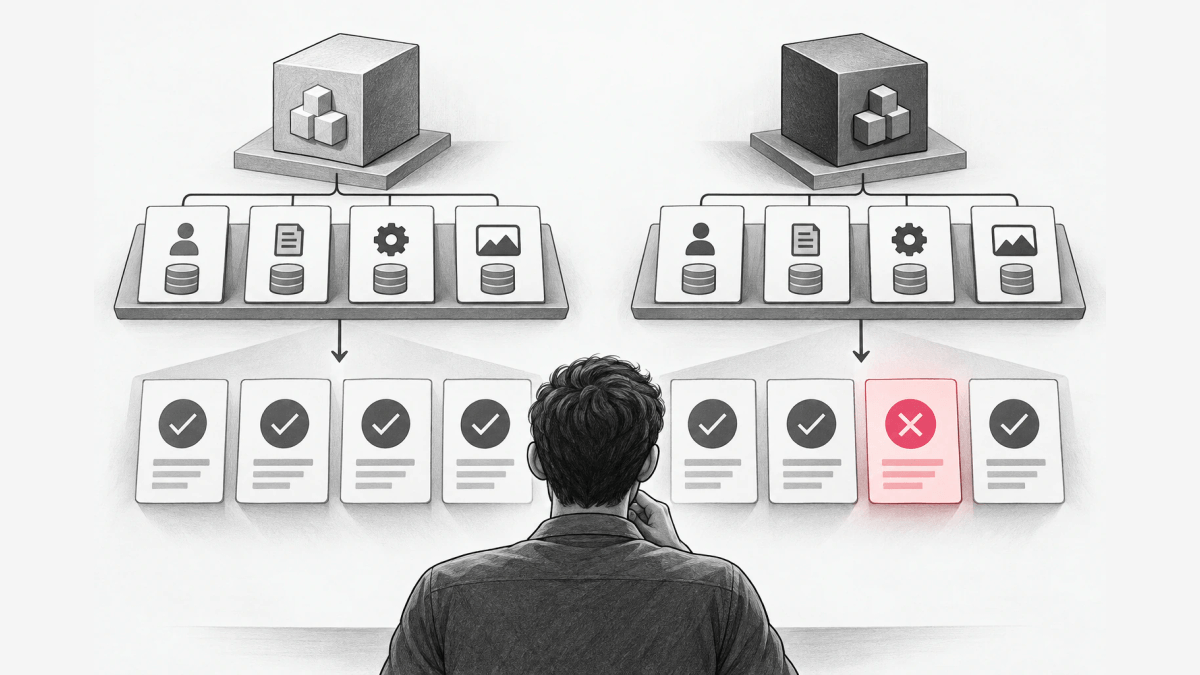
- Baseline
- Test cases
- Environment
Regression testing is the practice of re-running existing tests after a change to confirm that behavior which worked before the change still works. The tests cover both functional and non-functional behavior, and a failure of previously working behavior is called a regression. To run regression testing, fix a baseline, select the cases the change can reach, run the cases in CI on every change, and treat each failure as either a real regression or an expectation the change made obsolete.
This guide is for developers who ship web services and APIs from one mainline through a CI/CD pipeline. It closes a gap that many regression testing guides leave open: they list the types and tools, but leave the configuration a run assumes floating, so the same suite can pass one day and fail the next with no code change. After reading, you can pick the type of regression testing for a change, fix the inputs of a run, and run the suite in 5 steps. Manual exploratory testing and performance load testing are outside the scope.
What is meant by regression testing?
Regression testing means checking that a change did not break behavior that already worked. The changes that may call for regression testing include bug fixes, software enhancements, configuration changes, and even substitution of electronic components (hardware). Regression testing is performed after any modification or update to the software, so a configuration edit counts as a change even when no code moves. It is typically conducted after bug fixes are implemented, and it applies across all the different stages of software development testing.
Regression is used to test that previously working behavior, functional or non-functional, still works on the new build, so performance and security expectations belong in a regression suite alongside feature behavior. A regression test answers one question: does an old expectation still hold on the new build. A new test for a new feature is not a regression test until the feature ships and the team expects the behavior to stay. Regression suites tend to grow with each found defect, so the suite becomes a record of past failures that the team never wants to see again.
Regression testing has a limit. A regression suite covers the behaviors somebody wrote down as cases, so a regression in an unrecorded path passes silently.
What are the different types of regression testing?
The common types differ in how much of the system each run covers.
| Type | What it retests | When to use |
|---|---|---|
| Unit regression testing | Retesting a specific unit of code, such as a function or method, after modifications | A change inside one function |
| Partial regression testing | Testing the parts of the system that have been changed, along with any directly related components | A change with a known blast radius |
| Complete regression testing | Retesting the entire system | A large change, such as a framework upgrade |
| Progressive regression testing | Testing new features while ensuring that old features still work as expected | A release that adds features |
| Selective regression testing | Selecting the test cases from the suite that are likely to be affected by the change | A suite too slow to run in full on every commit |
| Automated regression testing | Using automated testing tools to run regression tests | Any suite that runs on every commit |
The selection step is called change impact analysis. Selection saves time and adds risk, because a case left out of the run cannot catch a regression.
Regression tests and automated tests overlap but are not the same thing. A regression test is defined by its purpose, re-checking old behavior, and an automated test is defined by how the test runs. Automated regression testing uses automated testing tools to re-run previously executed test cases, so most regression suites are automated, but a manual re-check of an old behavior is also a regression test. Many of the automated cases are unit tests that re-check one function.
Before you run regression tests
A regression run needs four inputs fixed before the first case executes. A run with any input left floating can pass on one day and fail on the next with no code change. The inputs answer three questions: which build counts as correct, which existing behaviors must still hold, and which data, dependencies, and configuration the run assumes.
- A baseline: the build, or the release, whose behavior counts as correct.
- A case list: each case names an input and the expected output on the baseline.
- A stable environment: the same data fixtures, dependency versions, and clock rules on every run.
- The configuration the cases assume: environment variables, configuration files, and settings that change behavior.
Configuration is the input teams most often leave floating. Configuration changes are among the changes that call for regression testing, and a setting edited outside the repository changes behavior without any commit, so a suite that reads live configuration tests whatever the configuration says on the day of the run.
How to perform regression testing
1. Identify the test cases to re-run
Select the cases that cover behavior the change can reach. Start by identifying test cases, which could be functional, integration, or system tests that have been executed previously. Add one case per past production defect, so each fixed defect stays fixed.
2. Fix the environment the cases assume
Record the data fixtures, dependency versions, and configuration values each case depends on as explicit inputs to the run, not as lookups against a live system. A case built from a customer report needs the configuration production had at the time of the report, which is the same input a customer-specific bug reproduction needs.
3. Execute the cases
Run the selected cases on every change, manually or with automation. Execution can be done manually or using automated testing tools, depending on the complexity of the test cases and the resources available. In a CI/CD pipeline, the regression run belongs in the stage that blocks a merge or a release. A test framework defines the cases, and a CI/CD system runs them; GitHub’s article names GitHub Actions as “a native CI/CD tool” for running regression tests “whenever code is pushed to the repository.”
4. Analyze the results and fix failures
Treat each failed case as either a real regression or an expectation that the change made obsolete. A real regression goes back to the developer, and when the change that caused it is unclear, git bisect finds the commit that introduced it; an obsolete expectation gets updated in the same change that made the expectation obsolete, with a reason in the review.
5. Document the result
Keep the run result next to the change that produced the result. The last step is documenting the results of the regression testing, so the next person can see which cases ran against which build.
What is an example of a regression test?
A regression test re-checks an existing behavior after a nearby change. An example is re-testing a login functionality after a new feature like “Forgot Password” has been added.
The cases below are an editing example for a checkout service, not a customer case. The service already gives free shipping on orders of $100 or more, and a change rewrites the tax calculation. The free shipping cases were written when free shipping shipped and stay in the suite:
| Case | Input | Expected on the baseline |
|---|---|---|
| Free shipping threshold | Order subtotal $100.00 | Shipping $0.00 |
| Below the threshold | Order subtotal $99.99 | Standard shipping charged |
| Tax added near the threshold | Order subtotal $95.00, total with tax above $100 | Standard shipping charged, because the threshold reads the subtotal |
The third case catches a regression in which the new tax code runs the threshold check on the taxed total, which gives free shipping to a $95.00 order. None of the three cases tests the tax rate itself; the tax rate gets its own new test.
FAQ
What is regression testing vs UAT?
Regression testing checks that existing behavior still works after a change, while user acceptance testing (UAT) checks whether the system meets user needs before release. Acceptance testing is testing conducted to determine whether a system satisfies the acceptance criteria, and user acceptance testing comes just before the final release. A team runs regression tests on every change and runs UAT once per release candidate.
What is regression testing vs sanity testing?
Sanity testing is a quick, narrow check that a specific fix or function works on a new build, while regression testing re-runs the existing cases that the change can reach. A team runs a sanity check first to decide whether a build is worth a full regression run.
Pin the feature flag version your regression tests run against with Loglune
Loglune is a feature flag platform that pins the flag state a regression run evaluates, so a passing suite means the behavior customers received still holds. A flag rule edited in a flag console changes behavior without a commit, which makes flag state part of the configuration a regression run assumes. Loglune rebuilds the flag state at any time T from an append-only change history, the rebuild is deterministic, and every published version gets a number that only increases.
A CI job sends the same POST /api/flags request as the Loglune SDK, with the delivery key in the Authorization: Bearer header and the version in the X-Loglune-Version header, never in the URL. Production evaluation and reproduction share one evaluation engine and differ in the evaluated version. A reproduction matches production under four conditions: rules come from the pinned version, percentage buckets use the same MurmurHash3 hashing as flagd’s fractional operation, time-based conditions evaluate at T, and prerequisite flags resolve in the causal order of the history. Loglune’s GitHub Actions and GitLab CI integration fetches the reproduction version in CI and injects the version into regression tests.
A run on October 5, 2026, on a local copy of the Loglune evaluation server with synthetic data, pinned two versions of the flag new-checkout. Version 1 served on to pro and enterprise accounts, and version 2 narrowed the rule to enterprise. The cases came from version 1, and the entry point printed the lines below, exiting with code 0 for version 1 and code 1 for version 2:
loglune replay v1: 3/3 assertions passed
loglune replay v2: 2/3 assertions passed
FAIL case #0 [acct-pro-1] new-checkout: expected on, got off
The code was identical in both runs. Reproducing the flag state at a time T counts as one reproduction; the Free plan includes 5 reproductions and stops at the cap (pricing). Loglune guarantees that the flag evaluation matches production, not the root cause of an application failure.
Pin the flag version your regression testing runs against
Pick a time T. Loglune rebuilds the flag state at T from the change history as a reproduction version, and your regression tests evaluate that version through the same evaluation engine that serves production. The Free plan includes 5 reproductions and stops at the cap.