Testing Flags: How to Test Feature-Flagged Code
- Unit tests
- Integration tests
- Loglune
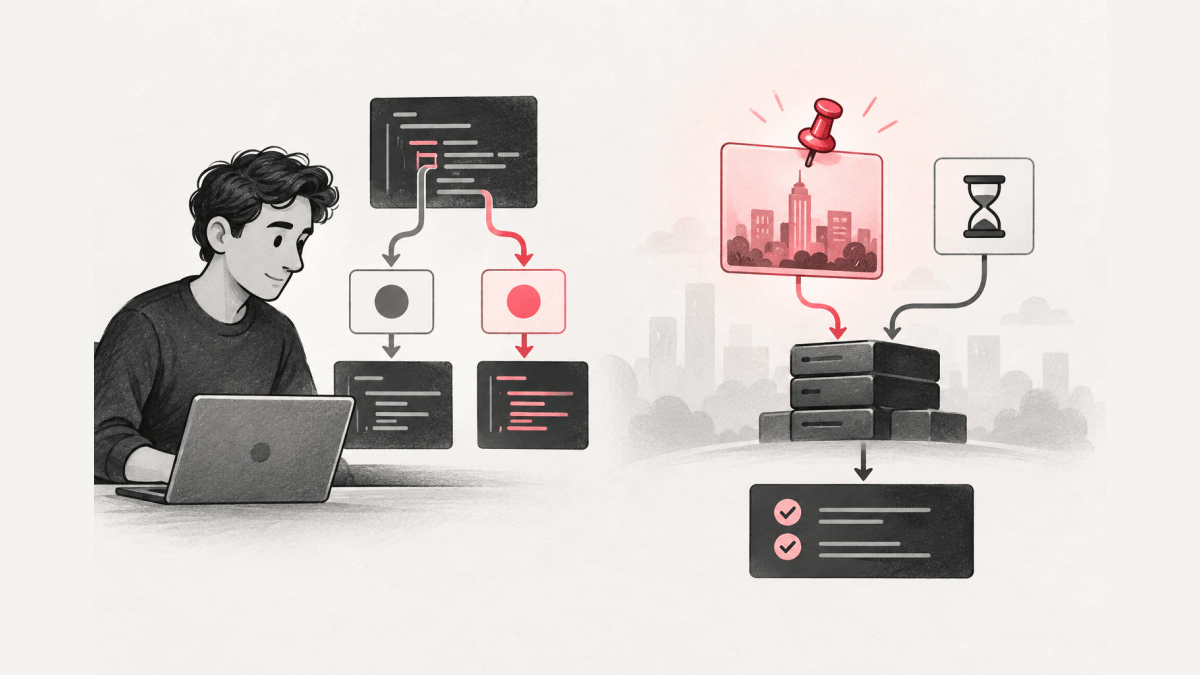
Testing flags means testing code whose behavior depends on a feature flag. The tests split into two kinds. Unit tests set each flag value on purpose and check that each branch does the right thing. Integration and regression tests run with the same flag state that production evaluated, so a passing test says something about what customers actually received. For the second kind, pass production’s flag version N to the test instead of reading live values.
This guide is for developers who write tests for flag-driven code. It covers what a flag is in code, which flag states to test, the steps for unit tests and pinned integration tests, and a real run that shows why a test should check more than the returned value. The steps fit server-side services and APIs that release features behind flags. A/B test statistics and quiz games about country flags are out of scope.
What is a flag in code?
A flag in code is a named switch that a program reads at runtime to pick between code paths. Pete Hodgson’s article Feature Toggles (aka Feature Flags) on martinfowler.com (checked October 5, 2026) describes feature toggles as a technique that lets teams “modify system behavior without changing code.” A feature flag returns a value, such as true or false or a variant name, and the code branches on that value.
A flag adds a second input to every test of the flagged code. The code is one input; the flag value is the other. A test that leaves the flag value to whatever a flag service returns today checks a different thing on different days, with no code change in between.
A flag differs from a plain boolean argument in one way: someone outside the code can change the flag value after deployment. The flag value therefore belongs in the test setup as an explicit input, like any other fixture.
Which flag states should you test?
Test the flag whose value changes the behavior under test, at a defined set of states, not every combination. Hodgson’s article says the most important configuration to test is the one “you expect to become live in production,” which is the current production configuration plus the toggles you plan to release flipped On. The same article recommends testing the fall-back configuration with those toggles Off, and notes that many teams also run some tests with all toggles On.
LaunchDarkly’s guide Testing code that uses feature flags (checked October 5, 2026) calls the belief that every combination needs a test the “combinatorial explosion myth.” The guide lists four states to consider:
- the flags as they are in the current production state
- the flags as they will be in the upcoming production state
- the fallback values the code uses when it cannot evaluate a flag
- any state that is important or that has caused errors before
The first state in both lists is “what production has now.” The limit of both lists is that “the current production state” changes whenever someone edits a flag rule, so a test that reads it live checks a moving target. The steps below turn production’s flag state into a fixed input.
How to test code that uses feature flags
1. Inject the flag value into the code under test
Pass the flag value, or the flag client, into the function instead of calling a global client inside the function. This step is often called making flag evaluation injectable. A function that receives its flag value can be tested without any flag service.
export function exportFormats(invoiceExport: boolean): string[] {
  return invoiceExport ? ['csv', 'pdf'] : ['csv'];
}
2. Unit test each branch with a fixed value
Unit testing a flag means testing each branch of flag-driven code with the flag value set by the test, so write one unit test per flag value. LaunchDarkly’s guide advises against connecting unit tests to a live SDK, because “you can’t ensure the values you’re pulling into your test will be consistent.”
import { expect, test } from 'vitest';
import { exportFormats } from './export-formats';

test('invoice-export on adds pdf', () => {
  expect(exportFormats(true)).toEqual(['csv', 'pdf']);
});

test('invoice-export off keeps csv only', () => {
  expect(exportFormats(false)).toEqual(['csv']);
});
When the code reads flags through OpenFeature, the OpenFeature JavaScript server SDK documentation (checked October 5, 2026) shows an in-memory provider, TypedInMemoryProvider, that serves fixed flag values to tests.
3. Pin production’s flag version for integration and regression tests
For tests that should match what customers received, evaluate the flag version production served, not a hand-written value. In Loglune, published versions are immutable and numbered in increasing order, and the SDK takes a version option that evaluates that published version instead of the current one.
import { createLogluneClient } from '@loglune/sdk';

const flags = createLogluneClient({
  sdkKey: process.env.LOGLUNE_SDK_KEY ?? '',
  version: 2
});

const { result } = await flags.evaluateOne('invoice-export', {
  key: 'acct-pro-8',
  attributes: { plan: 'pro' },
  evaluatedAt: '2026-08-15T14:05:00.000Z'
});
Loglune evaluates on the server. The SDK sends the context to POST /api/flags with the delivery key in the Authorization: Bearer header and the version in the X-Loglune-Version header, never in the URL. Production evaluation and replay share one evaluation engine; only the evaluated version differs. Loglune’s OpenFeature provider (@loglune/sdk/openfeature) and the CI regression entry point send the same request, so code that reads flags through OpenFeature can be tested the same way.
4. Set the evaluation time
Put an evaluatedAt time in the context when the flag has time-based conditions. Without evaluatedAt, a pinned replay treats time conditions as not met, because a replay does not read the clock of the machine running the test. Loglune uses the context only for the evaluation and does not store the context.
5. Assert the variation and the reason, not only the value
Check which variation the flag served and why. The real run in the next section shows a case where the value stays the same between two versions while the reason changes, so a value-only assertion passes on both versions.
Example: the same account on two flag versions
The run below is a local run of Loglune’s shipped /api/flags route on October 5, 2026, with an editorial example flag, not a customer case. The flag invoice-export has two published versions:
- Version 1 serves true to accounts whose plan is enterprise and false to everyone else.
- Version 2 keeps the enterprise rule and adds a 50/50 percentage rollout for everyone else.
The context was the account acct-pro-7 on the pro plan, evaluated at 2026-08-15T14:05:00.000Z. The output below is copied word for word from what the run printed.
=== X-Loglune-Version: 1
{
  "results": [
    {
      "flagKey": "invoice-export",
      "variationId": "off",
      "value": false,
      "reason": {
        "kind": "default"
      }
    }
  ],
  "record": {
    "version": 1,
    "contextKey": "db3fa8c5",
    "results": [
      {
        "flagKey": "invoice-export",
        "variationId": "off",
        "value": false,
        "reason": {
          "kind": "default"
        }
      }
    ],
    "at": "2026-08-15T14:05:00.000Z",
    "engine": 3,
    "attributes": [
      "plan"
    ]
  }
}
=== X-Loglune-Version: 2
{
  "results": [
    {
      "flagKey": "invoice-export",
      "variationId": "off",
      "value": false,
      "reason": {
        "kind": "rollout",
        "ruleIndex": 1,
        "bucket": 50453
      }
    }
  ],
  "record": {
    "version": 2,
    "contextKey": "db3fa8c5",
    "results": [
      {
        "flagKey": "invoice-export",
        "variationId": "off",
        "value": false,
        "reason": {
          "kind": "rollout",
          "ruleIndex": 1,
          "bucket": 50453
        }
      }
    ],
    "at": "2026-08-15T14:05:00.000Z",
    "engine": 3,
    "attributes": [
      "plan"
    ]
  }
}
acct-pro-7 gets false on both versions. On version 1 the reason is the default; on version 2 the reason is the rollout rule with bucket 50453, which landed on the off side. A test that asserts only value === false passes on both versions and misses that the account now sits inside a rollout. The same run evaluated three more accounts on each version:
v1 acct-pro-7 plan=pro -> false {"kind":"default"}
v1 acct-pro-8 plan=pro -> false {"kind":"default"}
v1 acct-pro-9 plan=pro -> false {"kind":"default"}
v1 acct-ent-1 plan=enterprise -> true {"kind":"targetMatch","ruleIndex":0}
v2 acct-pro-7 plan=pro -> false {"kind":"rollout","ruleIndex":1,"bucket":50453}
v2 acct-pro-8 plan=pro -> true {"kind":"rollout","ruleIndex":1,"bucket":48638}
v2 acct-pro-9 plan=pro -> true {"kind":"rollout","ruleIndex":1,"bucket":15405}
v2 acct-ent-1 plan=enterprise -> true {"kind":"targetMatch","ruleIndex":0}
acct-pro-8 and acct-pro-9 flip from false to true between the versions, and acct-ent-1 stays on the enterprise rule. Loglune assigns rollout buckets with MurmurHash3, the same hash as the flagd fractional operation, and an evaluation is a pure function of the version and the context, so the same account on the same version lands in the same bucket on every run. The record keeps the version, an opaque context key, the result, the time, the engine version, and the names of the attributes sent, not the attribute values.
The same run also called the server without a version header from a workspace on the Free plan. The response printed:
=== no version header
{
  "status": 403,
  "error": "production_eval_unavailable",
  "hint": "The workspace plan does not evaluate the current version. Pin a published version (SDK: version) to replay it in development or CI, or change the plan at /app/billing. Do not retry."
}
The Free plan does not include live production evaluation; a pinned version is evaluable on every plan, which is the mode a test needs.
Troubleshooting flaky flag tests
A flag test that passes on one run and fails on the next often has a floating flag input. Check these causes in order:
| Symptom | Likely cause | Fix |
|---|---|---|
| Test result changes with no code change | The test reads live flag values | Inject a fixed value, or pin a published version |
| Concurrent test runs disturb each other | Tests edit a shared flag environment | Give each test its own context instead of editing flags; LaunchDarkly’s guide warns that concurrent configuration changes “will conflict with each other” |
| Time-based rule never matches in CI | No evaluation time in the context | Set evaluatedAt in the context |
| Value matches but behavior differs | The assertion checks the value only | Assert the variation and the reason |
Pinning a version fixes the flag input, not the rest of the test. Loglune reproduces the flag evaluation; a defect inside the code path the flag selected still needs ordinary debugging and an ordinary test.
FAQ
Do pinned evaluations in CI count toward Loglune’s reproduction limit?
No. Loglune counts a reproduction when it rebuilds the flag state at a time T and delivers it as a version. SDK evaluations of a version, production or replay, are not counted.
Choosing what to pin in your flag tests
Fix the flag value in unit tests and fix the flag version in integration and regression tests. Unit tests then cover every branch, and the pinned tests cover the flag state production actually evaluated. Assert the variation and the reason in both, so a rule change that keeps the same value still shows up in the test output.
Run your testing flag cases on the version production evaluated
Pin a published Loglune version in the SDK, and your tests receive the same flag evaluation that production version N returns, through the same evaluation engine. SDK evaluations of a pinned version are not counted as reproductions, and every plan, including Free, can evaluate a pinned version.