git bisect: Find the Commit That Introduced a Bug
- git bisect
- git bisect run
- Loglune bisect
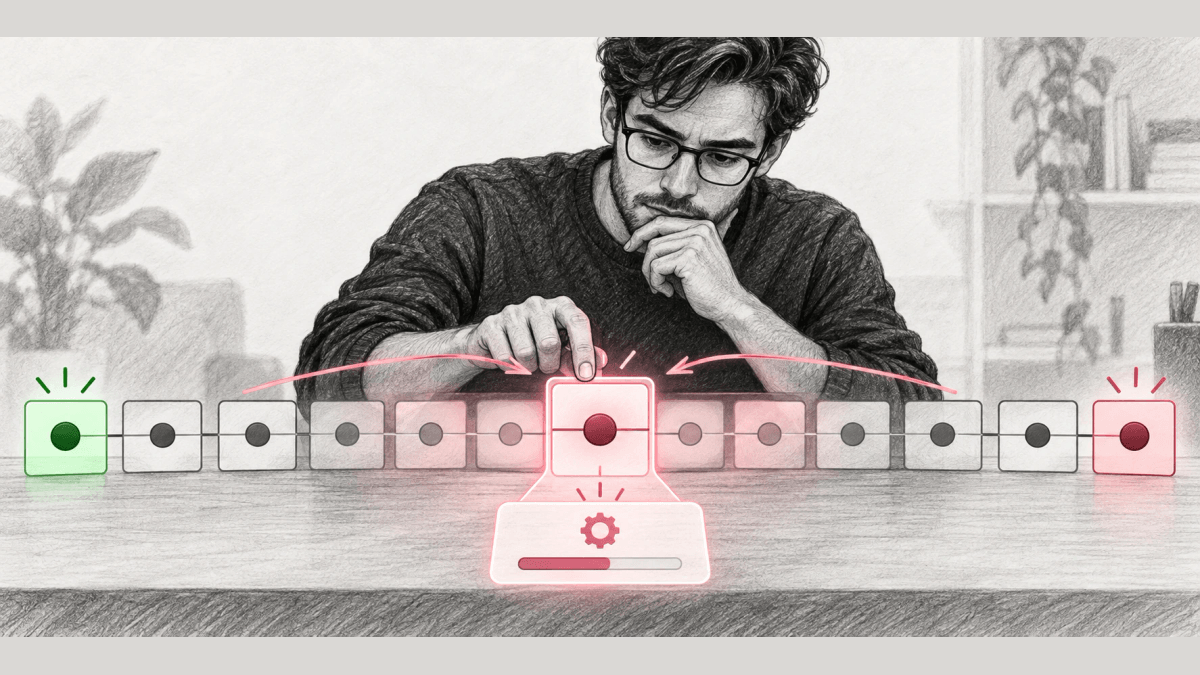
git bisect is a Git command that runs a binary search over your commit history, starting from one commit you know is good and one commit you know is bad, and prints the first bad commit. A session takes 6 steps: start the session, mark a bad commit, mark a good commit, test each commit Git checks out, read the first bad commit, and end the session with git bisect reset. A script can replace the manual testing through git bisect run.
This guide is for developers who know a bug is in the current build, know an older build without it, and want the commit that introduced it. It covers a manual session, an automated session with git bisect run and its exit codes, and the options that narrow the range. When a bug starts after a feature flag edit, a rollout percentage change, or a targeting rule change, no commit changed, and git bisect marks every commit the same way. The last section bisects the flag change history for that case with Loglune.
What git bisect does
As of Git 2.56.0, git bisect uses a binary search algorithm to find the commit that introduced a bug. You tell Git one bad commit that contains the bug and one good commit from before the bug, and Git checks out a commit between them and asks you whether that commit is good or bad. Git keeps narrowing the range until one commit is left.
git bisect can find the commit that changed any property of a project, such as the commit that fixed a bug or the commit that made a benchmark faster. For those searches, Git accepts the terms old and new in place of good and bad.
Before you start a git bisect
A bisect session needs 3 inputs before the first command.
| Input | What it is | Where it usually comes from |
|---|---|---|
| A bad commit | A commit where the bug appears | The current branch, or the release where the bug was reported |
| A good commit | A commit from before the bug | The last release without the report, a Git tag, or a commit from a known working deploy |
| A repeatable check | A test you can run on any commit that says good or bad | A failing unit test, a build command, or a short script |
The check decides how fast the session goes. A check that gives the same answer every time on the same commit lets Git trust each mark. A flaky check can mark a good commit bad and send the search into the wrong half of the history.
How to use git bisect in 6 steps
1. Start the session
Git checks out other commits during the session, so commit or stash your work before you run git bisect start.
git bisect start2. Mark the bad commit
Mark the current commit as bad, or give a commit name.
git bisect bad3. Mark the good commit
Mark a commit from before the bug as good. A tag works for this.
git bisect good v2.6.13-rc2Once Git has one bad and one good commit, it checks out a commit in the middle of the range and prints a line like this one: “Bisecting: 675 revisions left to test after this (roughly 10 steps)”.
4. Test each commit Git checks out and mark it
Build and test the checked-out commit. Run git bisect good if the bug is absent and git bisect bad if the bug is present. Git checks out the next commit after each mark, and in the same example the next line reads “Bisecting: 337 revisions left to test after this (roughly 9 steps)”.
If a commit cannot be tested, for example because it does not build, run git bisect skip and Git picks a nearby commit. Skipping a commit adjacent to the first bad one leaves Git unable to tell which of those commits was first.
5. Read the first bad commit
When no commits are left to test, Git prints a description of the first bad commit, and the reference refs/bisect/bad points to that commit. Read its diff and its message, and confirm the result by testing that commit and its parent once more.
6. End the session with git bisect reset
git bisect resetgit bisect reset clears the bisection state and returns the working tree to the commit that was checked out before git bisect start. git bisect reset bisect/bad checks out the first bad commit instead, and git bisect reset HEAD stays on the current commit.
A git bisect example with an automated test
The example below is editorial and uses no real repository. Suppose release tag v1.2 worked, the current HEAD fails, and a script named check.sh exits 0 when the feature works and exits 1 when it fails.
git bisect start HEAD v1.2 --
git bisect run ./check.sh
git bisect reset
git bisect start HEAD v1.2 – marks HEAD as bad and v1.2 as good in one command. git bisect run then checks out each commit, runs check.sh, and marks the commit from the exit code until it prints the first bad commit. git bisect reset returns to the branch you started from.
If some commits in the range do not build, build first and turn a build failure into a skip.
git bisect run sh -c "make || exit 125; ~/check_test_case.sh"Automate git bisect with git bisect run
git bisect run reads the exit code of the command you give it. The codes are defined as follows.
| Exit code of the command | git bisect treats the commit as |
|---|---|
| 0 | good, or old |
| 1 to 127, except 125 | bad, or new |
| 125 | untestable, and skips it |
| Any other code | aborts the bisect session |
The page notes that a program ending with exit(-1) leaves an exit code of 255, which aborts the session. Codes 126 and 127 mean “command found but not executable” and “command not found” in POSIX shells, and git bisect run counts them as bad. A test script that cannot find its own tools therefore marks every commit bad, so run the script once by hand on the bad commit and once on the good commit before handing it to git bisect run.
Narrow the search: pathspecs, several good commits, and merges
git bisect start accepts more inputs that cut the number of commits to test. By default, git bisect also tests the commits that came in through merged branches.
| Option | What it does |
|---|---|
| git bisect start – path/to/dir | Tests commits that touched the given paths |
| git bisect start v2.6.20-rc6 v2.6.20-rc4 v2.6.20-rc1 – | Marks the first commit bad and the others good in one command |
| –first-parent | Follows the first parent at each merge commit and reports a bad merge as the cause |
| –term-old fast –term-new slow | Replaces good and bad with your own terms for one session |
–first-parent avoids false positives when a merged branch contained commits that were broken or did not build but the merge itself was fine. Good and bad cannot be mixed with old and new in a single session.
How git bisect works and why it takes few steps
Each mark removes about half of the remaining commits from the search. A range of n commits therefore needs about log2(n) tests. In the example, the search starts with 675 revisions left and reports roughly 10 steps, since 2 to the power of 10 is 1,024. Testing the same 675 commits one by one from the good end would take up to 675 tests.
The halving holds when the bug, once introduced, stays in every later commit. If a later commit fixed the bug and another commit broke it again, the history flips more than once, and git bisect reports one of the flips, which might not be the one you are after. Narrow the good and bad commits to a range with one flip before you start.
Benefits of git bisect
- git bisect turns a search through hundreds of commits into about 10 tests, as in the example above.
- git bisect names a single commit, so the review starts from a small diff and a commit message with an author.
- git bisect run removes manual marking, so a long search can run without a person at the terminal.
- git bisect log records the marks of a session, and git bisect replay runs them again, so another engineer can repeat the search.
When no commit changed: bisect the flag change history
A bug report sometimes points to code that did not change between the good release and the bad release. git bisect then marks every commit the same way, because the change that broke the feature was made outside Git: a feature flag default switched, a targeting rule added, or a rollout percentage raised. The search has to run over the flag change history instead of the commit history.
Loglune records every flag edit as a change event with the actor, the time, the target flag, and the values before and after. Loglune’s bisect takes a customer context and the flag value the bug report saw, bisects the change history, and returns the first change where the evaluation flipped from the good value to the bad one. Loglune evaluates every version with the same evaluation engine as production. For a bug reported at time T, Loglune considers versions published at or before T, so a flip in an unpublished draft is never named as the production cause. Bisect is a read operation and does not count toward billing.
Loglune’s example dataset shows the three outcomes a flag bisect can return. The dataset is synthetic input labeled Example data in the Loglune console at loglune.com/app, visible without signing in, and it describes no real customer or incident. In it, the flag checkout-v2 returns off for customers on the free plan until an edit switches its default to on. We ran Loglune’s bisect function on that dataset on October 5, 2026, for a customer with the attribute plan = free, judging checkout-v2 = on as bad.
| Run | Input | Verdict Loglune returned | What it named |
|---|---|---|---|
| A | Latest published version | confirmed | Change event ex-6 by jordan@example.com on August 20, 2026, at 11:15 UTC, which switched the default of checkout-v2 from off to on in version 3 |
| B | Time August 18, 2026, at 13:22 UTC | none | No flip in the 2 versions published by that time |
| C | Same customer without the plan attribute | insufficient-input | The missing attribute name: plan |
Version 3 in the example contains two changes: the checkout-v2 default switch and a timeout configuration change from 3000 to 5000 milliseconds. Run A named the flag change and left the timeout change out, because the evaluation of checkout-v2 for that customer flipped at that change. Run C shows that Loglune does not guess when an input attribute is missing. Loglune returns the name of the missing attribute and asks for the value, because a guessed attribute could match a different targeting rule.
Run git bisect first when the bad behavior follows a deploy. Run a flag bisect when git bisect finds no bad commit or the bug started without a deploy. The walkthrough on reproducing a bug that affects one customer shows how to rebuild the flag state the customer had at time T after the bisect names the change.
Choosing what to bisect
Use git bisect when the bug appeared between two commits and a repeatable check can tell them apart, and hand the check to git bisect run once it gives the same answer twice on each end of the range. When git bisect finds no bad commit, the change happened outside the repository. Record every flag edit with its time and actor, so the same binary search can run over the flag change history and name the edit that flipped the customer’s evaluation.
Bisect the flag change history when git bisect finds no bad commit
Loglune records every flag edit as a change event with the actor, the time, the target flag, and the values before and after. Give Loglune a customer context and the value the bug report saw, and it bisects the change history to the first change where the evaluation flipped. Bisect is a read operation and does not count toward billing, and the Free plan includes 5 reproductions.